Annual show.
Leica SL2-S, 20-200mm Sigma Contemporary.
Annual show.
Leica SL2-S, 20-200mm Sigma Contemporary.
Easy, but ….
Tethering means connecting your camera to a computer running Lightroom Classic. When the picture is taken the image pops up in LRc for editing, emailing, etc.
BUT, while a Nikon D800, say, will tether nicely with version 6 of old (non-subscription) Lightroom running on older Intel CPU Macs, the Leica SL2-S firmware dictates that the Mac must be running an Apple Silicon CPU (M1, M2, M4, etc.) and the Lightroom version must be 15.0 or later. Don’t bother trying with the pre-subscription versions. I have. No go. Also make sure you have the latest firmware installed in the SL2-S. These steps ensure that you need no external software kludges for everything to work. I use a 15 foot cable and have had no issues.
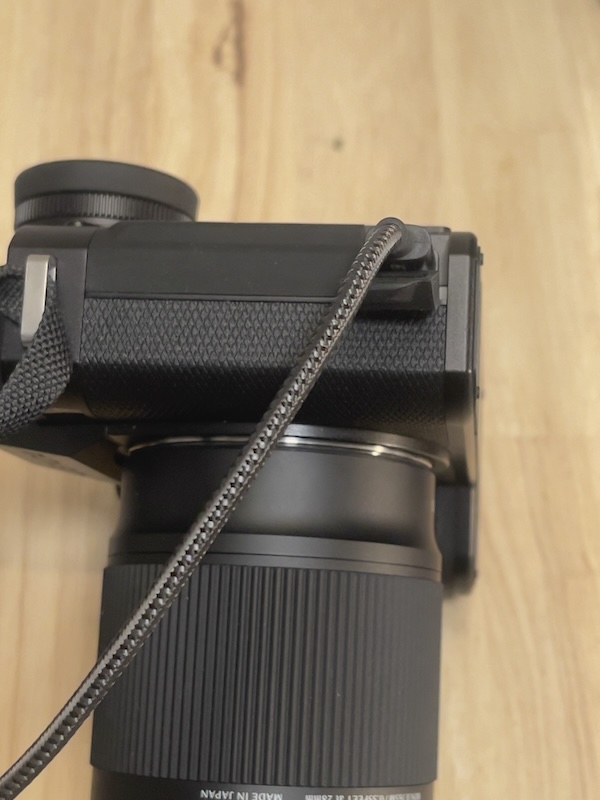
Connect the camera to the Mac using a USB-C to USB-C cable. Any cheap cable will do. Don’t fall for the costly orange ones at 6x the price.
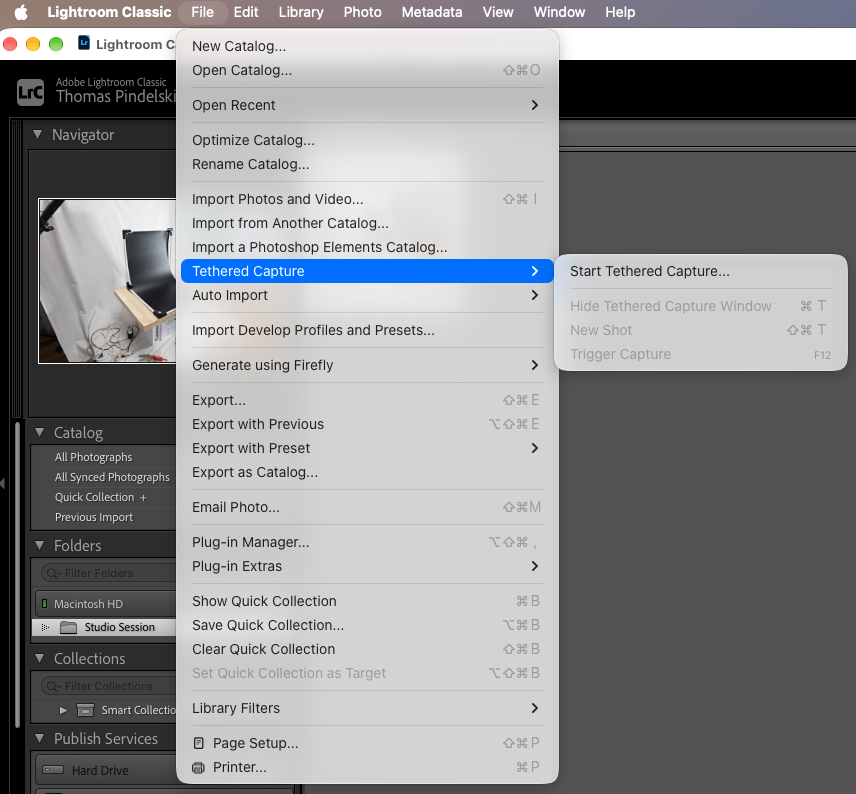
Open Lightroom, and go to File->Tethered Capture->Start Tethered Capture, thus:
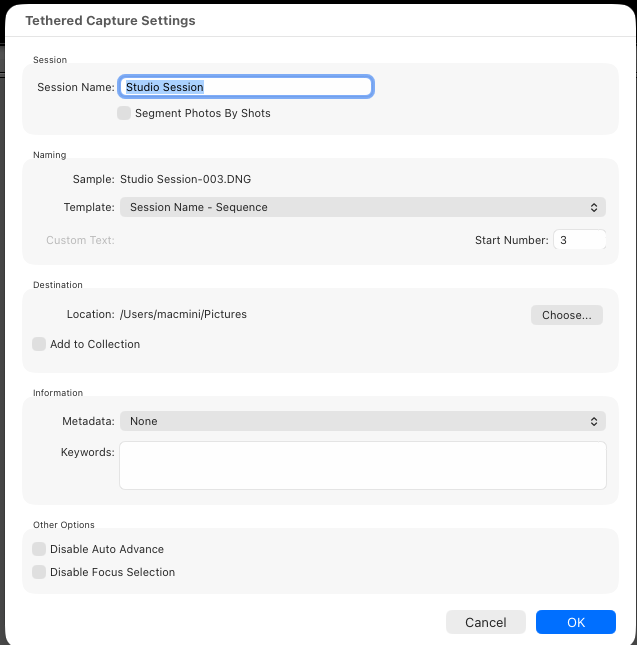
Hit Return and you are ready to start:
I use an inexpensive Mac Mini M1 bought used for half the price of the latest version with just 8gB of memory, and it works very well. RAW images pop up in LRc in 2 seconds allowing your client to view results and choose the preferred snap in real time. That Mac Mini is networked with the M4 Mini in my office, so after concluding a session, I export the LRc catalog across the network to the M4 for further processing, after import to the regular LRc catalog.
Note: The LRc license permits installation of the application on two computers. I have no issues running both simultaneously.
Easier today.
When Comrade Stalin was busy whacking anything that moved, one of his victims was Nikolai Yezov, head of the NKVD secret police, which became the KGB, which became the FSB, with will become something else under the next Soviet psychopath/dictator.
One unfortunate unintended consequence of Comrade Yezov’s whacking – he headed the NKVD 1936-38 and got his in 1940 after falling out with Uncle Joe – was that all those danged encyclopedias proclaiming the might of the People’s State had to be rewritten, the pictures therein edited. And Stalin’s lads did a fabulous job before the days of Photoshop and digital technologies. Here’s the famous ‘canal’ picture of Stalin with Yezov, still in favor and looking Hollywood evil, walking by a canal. Then, once Comrade Y met his end at the barrel of a Belgian Nagant revolver, (designed for silence, so those in the cell next door remained unsuspecting), it was time for some serious retouching. Here’s the Before and After, courtesy of hundreds of man hours of some poor schlub in the basement of the Lubyanka Gaol. Doubtless he had an appointment with the aforesaid Nagant shortly after completing his work:
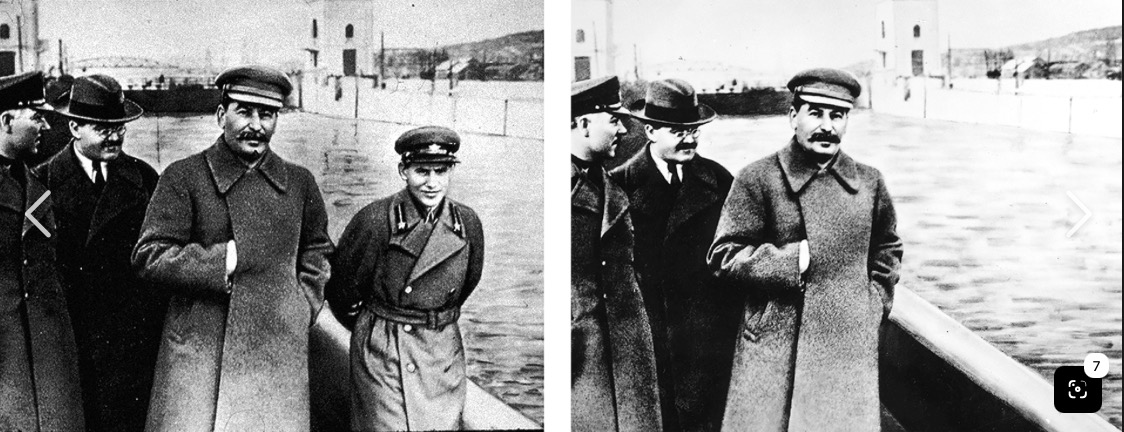
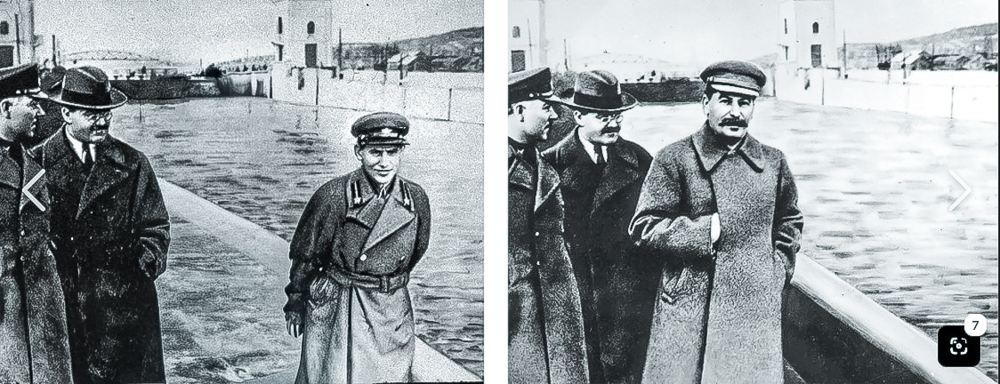
Building on the astonishing capabilities of the AI Remove function in Lightroom Classic I decided to see what I could do to Comrade Y in LRc. After about thirty seconds of effort, no subsequent meeting with a bullet required, I came up with this. I have removed Yezov from the original Soviet image at left and it took …. all of 30 seconds:
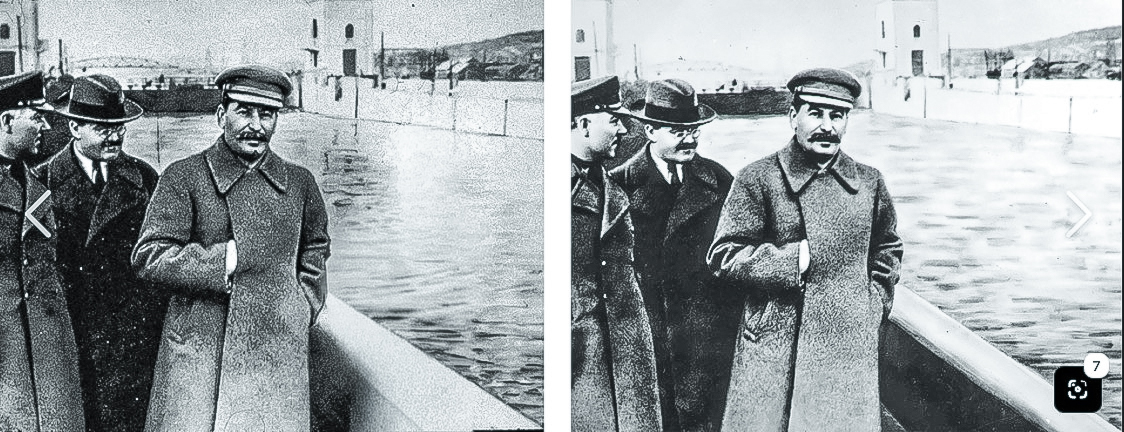
Not only did it take a couple of weeks less than Comradeski Photoshopski devoted to the task, the result – check the water – is better. So, considering the ethics of the matter, the dictators of the world will revel in the capabilities of AI Remove whenever they have to rewrite the history books.
All in all, I rather prefer this version. Notice that AI has conferred a claw like right hand on the murderous Yezov, which seems entirely appropriate:
On a more practical note I decide to see what AI Remove could do to my snap of the wrapped ‘Christo building’ downtown, and here is the truly stunning result:
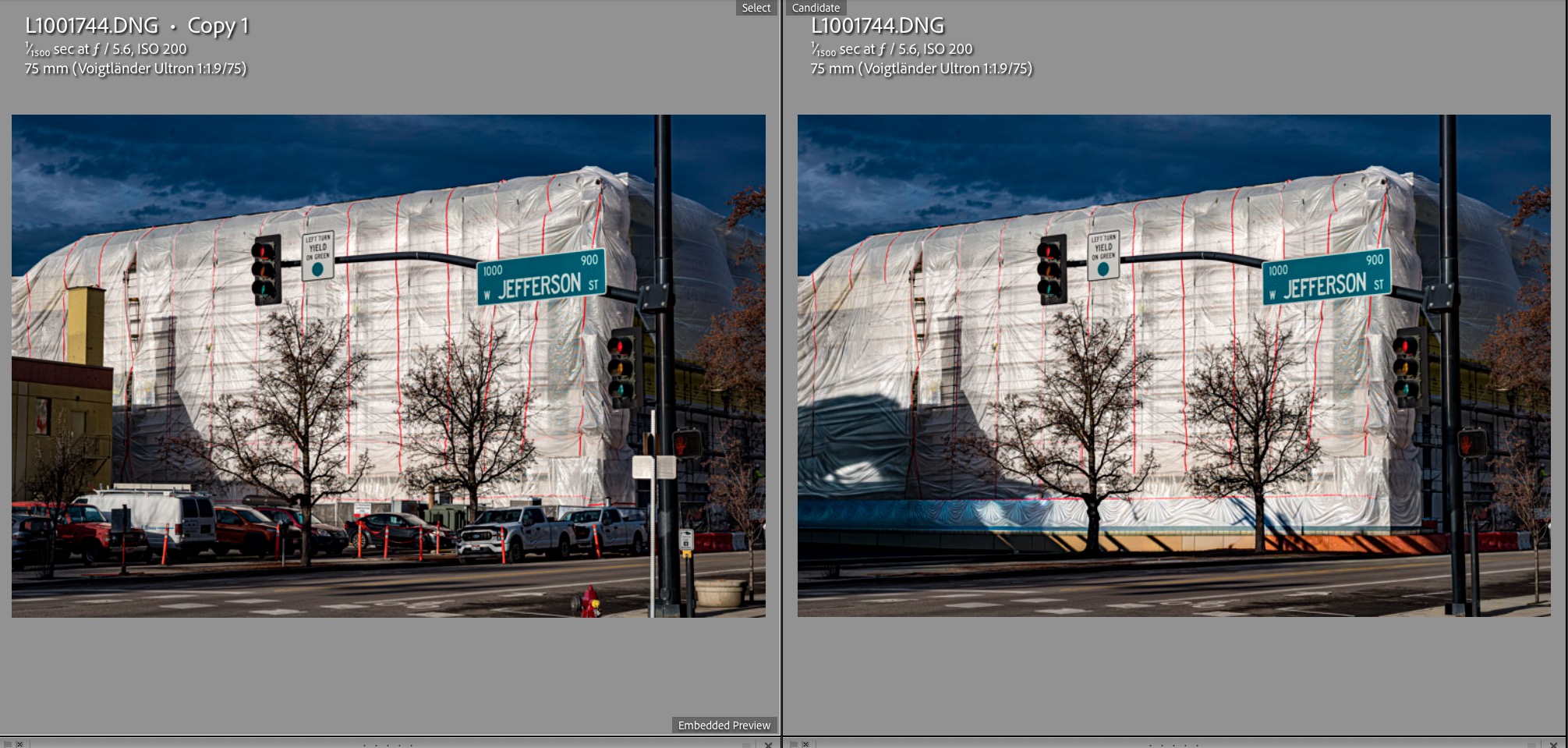
I made some 11 passes with AI remove and the cars, the intrusive building at left and the street signs are all gone. I took it in small bites to let AI ‘learn’ the surroundings. Comrade Stalin would be proud.
Effective and fast.
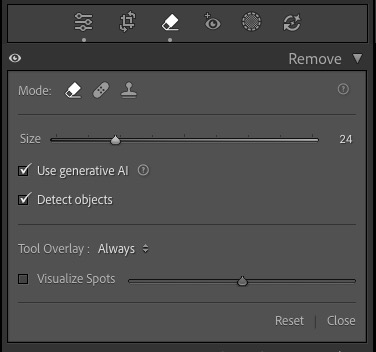
Lightroom Classic has added an AI powered object removal capability. It’s superior to Content Aware Fill in Photoshop or Affinity Photo 2. The latter two frequently get confused when an object is closely bounded by others, wrongly duplicating the bounding objects and generally doing a poor job. LRc is superior in this regard.
Here is where to find it in the Develop module:
I am busy documenting fall in my community but the lovely fall colors in the streets are frequently disrupted by the presence of parked cars. Case in point:
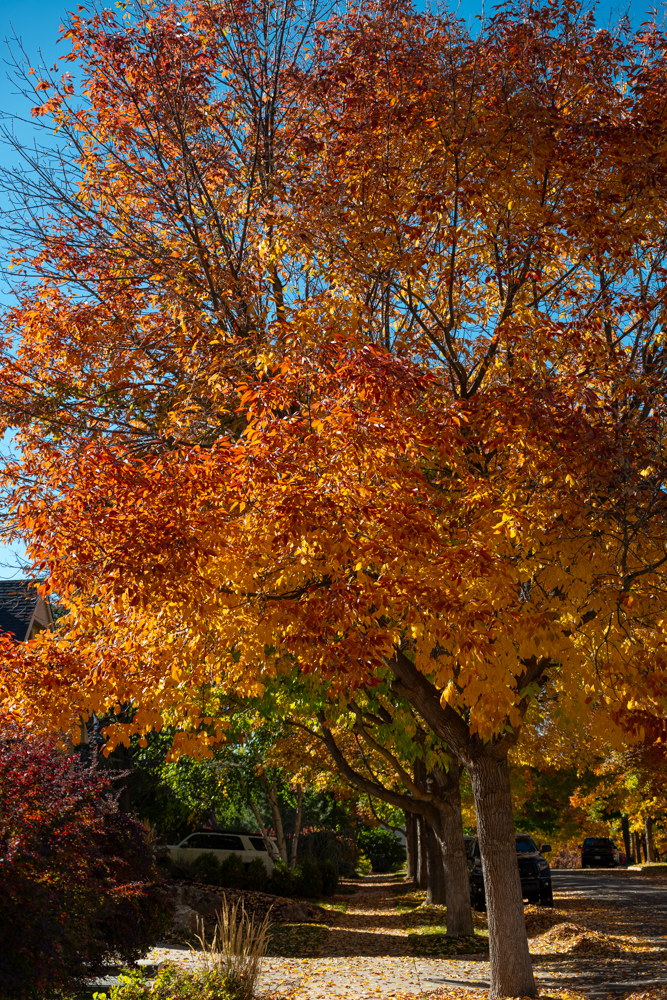
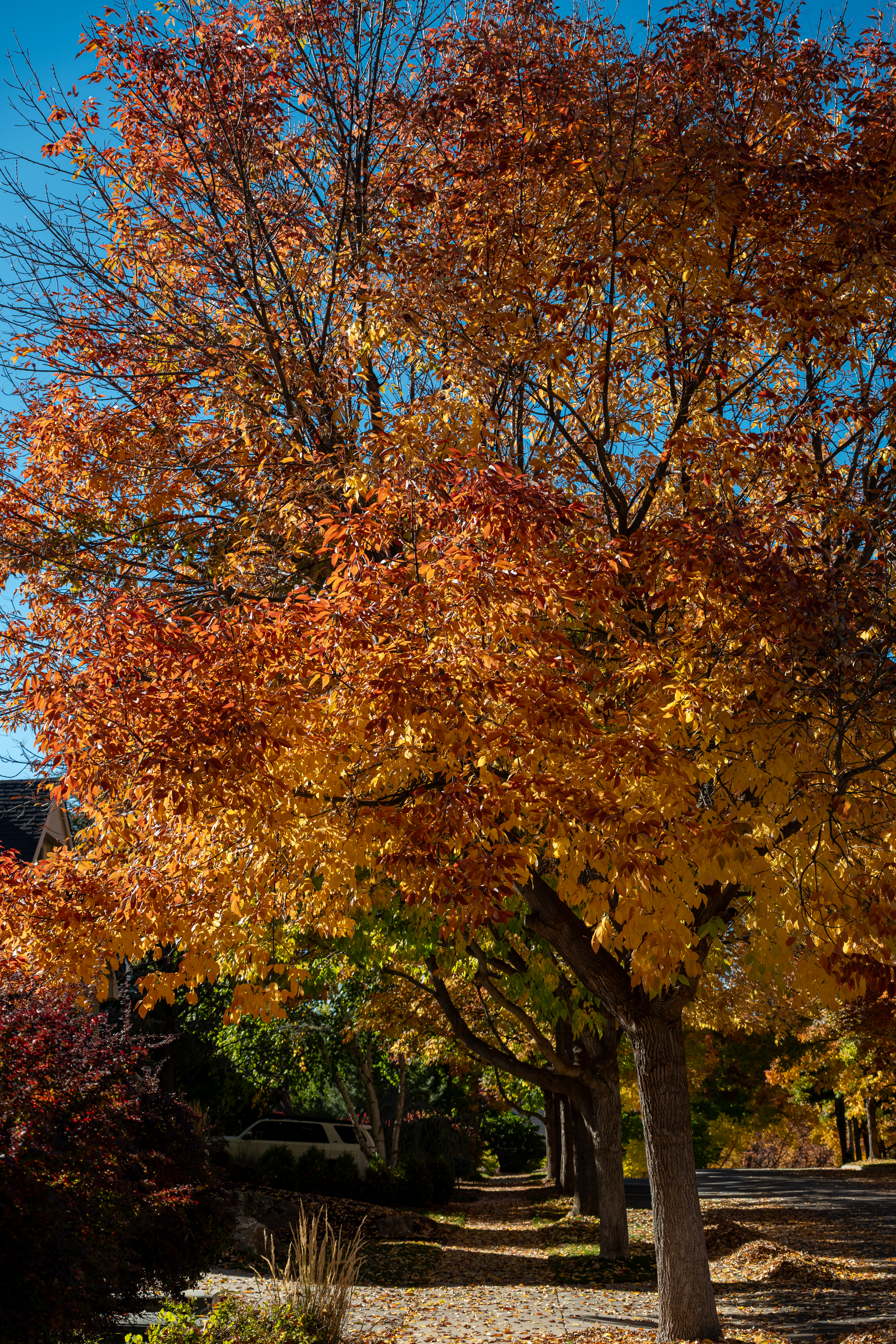
In the enlarged version you can clearly see that the car peeking out between the tree trunks has been removed perfectly.
Impressive technology. LRc 15.4.1. You must have an internet connection for this technology to work.
Leica SL2-S, 20-200mm Sigma at f/5.4 and ISO 100.
Seasonal charmer.
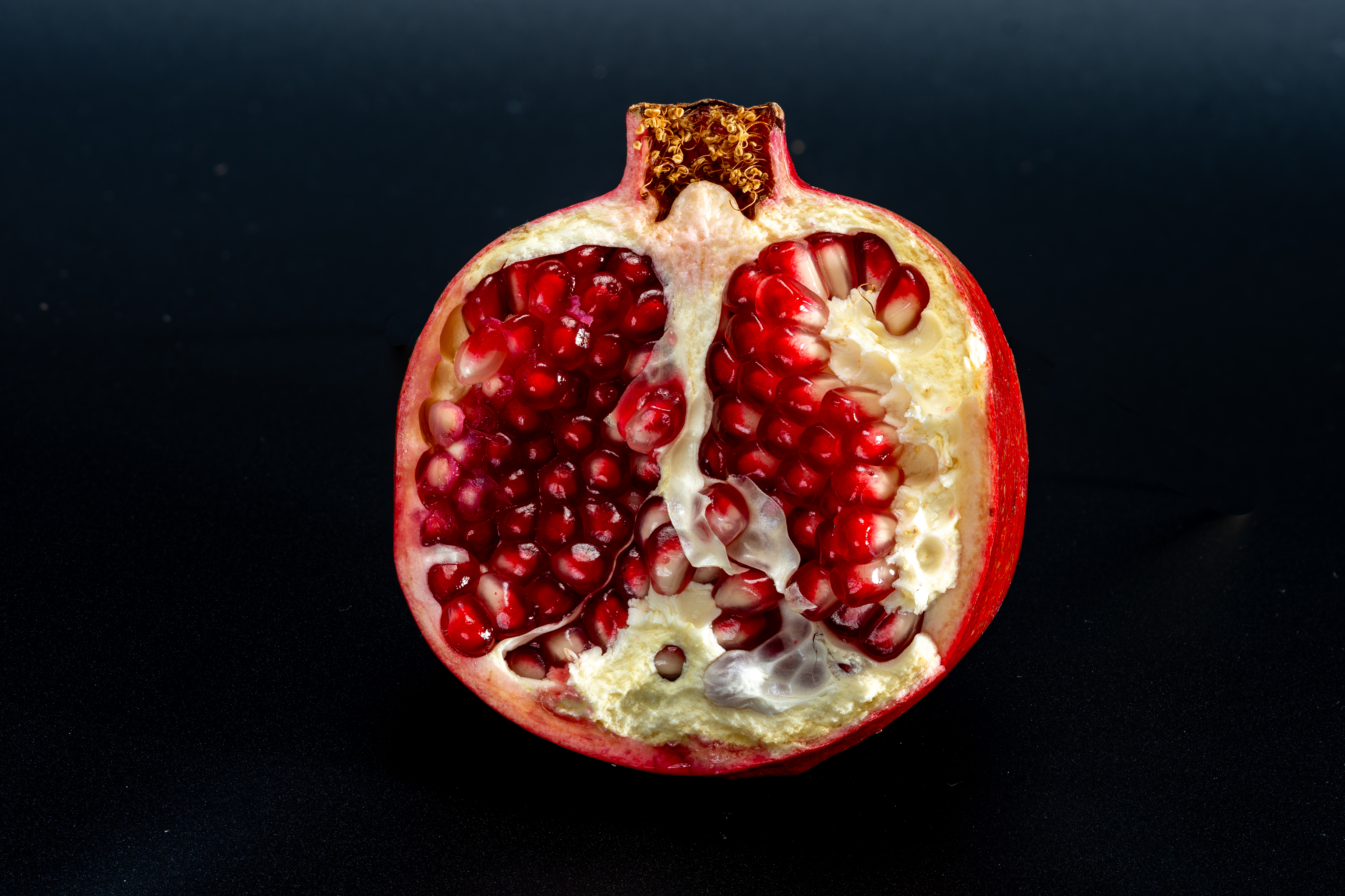
September through December is the harvest season for pomegranates in the Western hemisphere. It’s a sectional fruit comprised of 6 sections. You can feel the ridges in the skin. Cut through the skin along those six ridges top to base, then split in a large bowl of water. Push out the seeds – the good stuff – and they will fall to the bottom whereas any pith will float. Scoop out the pith, drain and eat the seeds for a super healthy snack. The flavor is both sweet and bitter, so pair it with some home made pumpkin pie and whipped cream with confectioner’s caster sugar. There go the health benefits!
Leica SL2-S, 135mm El Nikkor at f/11, 3 strobes, ISO100. 31 images focus stacked in Helicon Focus.